Gaps between fill and outline in embroidery: why they happen and how to close them
Why fabric shows between fill and outline, what pull compensation is, and how to close embroidery gaps even if you only have the PES or DST file.
Satinwise Team5 min read
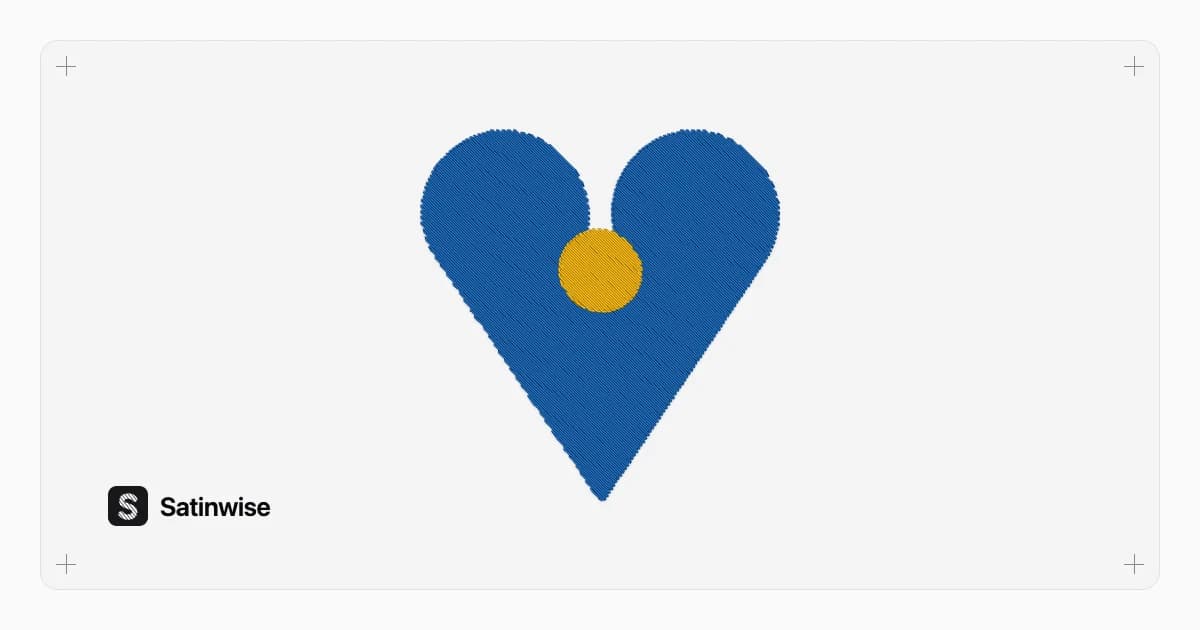
You stitched the logo, took it out of the hoop and there it is: a line of fabric between the fill and the outline. On screen everything touched; on the garment, it doesn't. It's one of the most common machine embroidery problems, and it's rarely the machine's fault.
Here's why it happens, how to prevent it when digitizing, and what to do when all you have is the final file (PES, DST, JEF…) and you can't edit the shapes.
Why gaps open: the fabric moves
The documentation for Ink/Stitch, the free digitizing program, puts it this way: every stitch distorts the fabric. With each one there is some shrinking (pull) and some expansion (push) (Ink/Stitch, "Push/Pull Compensation"):
- Pull: the fabric is drawn inward, mostly along the stitch direction. A fill ends up narrower than drawn.
- Push: dense stitches pack in and push the fabric outward at the edges.
The result: two shapes that shared an edge on screen move apart as they sew, and a gap appears. Ink/Stitch says it plainly on its fill page: fill stitch can pull the fabric together, leaving a shape "narrower than you draw" (Ink/Stitch, tatami fill).
What makes pull worse
According to Ink/Stitch, how much compensation you need depends on:
- the fabric,
- the stabilizer,
- the design size,
- stitch type, length and density,
- underlay stitches,
- hooping,
- machine speed.
That's why the same file can sew perfectly on a structured cap and gap on a knit T-shirt.
How to prevent gaps when digitizing
If you have the editable file (your software's file, not just the PES or DST), these are your tools:
| Tool | What it does | Where to set it |
|---|---|---|
| Pull compensation | Extends each stitch row outward by a fixed length to make up for the fabric shrinking | Ink/Stitch: Pull compensation on fill and satin. Wilcom EmbroideryStudio: Pull Compensation field in Process Stitches (Wilcom Docs) |
| Percentage compensation | The same, but proportional to row width | Ink/Stitch: Pull compensation percent |
| Expand | Enlarges the shape before filling it to cover the space next to its neighbor | Ink/Stitch: Expand |
| Gap filling | Adds extra rows to cover gaps between sections caused by distortion | Ink/Stitch: Gap Filling |
| Underlay | A first layer that flattens the fabric and gives the top stitches "rails" to sit on | On by default for Ink/Stitch fills |
Plan the stitch order too: Ink/Stitch recommends adjusting stitch direction and sequence because the fabric keeps shifting as the design builds up (Ink/Stitch, workflow).
What you can do at the machine
Even without touching the file, three things reduce pull:
- Match the stabilizer to the stitch count. Manufacturers say what each one supports. For example, Floriani says its Heat N Sta Tearaway supports "about an 8,000-stitch count" on a well-digitized design, and its Perfect Stick Cutaway "generally" a 12,000-stitch count (Floriani product guide, PDF). If your design has far more stitches, it needs more support.
- Hoop firmly without stretching the fabric. Hooping is one of the factors Ink/Stitch lists.
- Sew a test on the same fabric with the same stabilizer. Ink/Stitch recommends exactly that, and looking for gaps that point to fabric distortion (workflow, step 6). For T-shirts, test on a similar knit: knits need substantial stabilization.
If you only have the PES or DST
This is the usual case in a shop: the customer sends the file, or you bought it, and you don't have the shapes to edit. Machine formats store mostly stitches, not the original shapes; the pyembroidery documentation (the open-source library that reads and writes these formats) warns that embroidery reading and writing "is always lossy".
Even so, narrow gaps can be closed by working directly on the stitches. That's what Improve file in Satinwise does:
- Finds the gaps: it draws every stitch as thread and looks for narrow openings (under 1.2 mm) between stitched areas.
- Closes them with pull compensation: it extends the ends of fill rows and satin stitches by 0.15 to 0.35 mm, using the smallest amount that closes the gaps. If it doesn't help, it isn't applied.
- Cleans up the file too: it removes tiny stitches (under 0.3 mm) while keeping the lock stitches, and adds trims on jumps longer than 12 mm where there weren't any.
- Doesn't redraw your design and leaves the original alone: the improved version is saved as a separate copy.
It works with the formats Satinwise reads (PES, DST, JEF, EXP, VP3, XXX and others), and you download in PES, DST, JEF, EXP, VP3 or XXX.
What it can't fix
Be realistic about what can be corrected without the original shapes:
- Wide gaps (over 1.2 mm) or parts that are far out of register: those need redigitizing.
- Hooping or stabilizer problems: the file won't fix them; sew another test with better support.
- Designs digitized badly from the start (excessive density, chaotic order): ask whoever digitized it for a new file.
Check your file for gaps (free)
Before you stitch, drop it into the free file check on the home page: with no account, it tells you how many gaps there are "where fabric would show" and marks them on the preview, along with long jumps and tiny stitches. If there are gaps, open it in Improve file and compare the before and after.
Frequently asked questions
Why does my embroidery have gaps when it looks fine on screen?
Because every stitch pulls or pushes the fabric. As it sews, shapes shrink along the stitch direction and gaps open between blocks that touched on screen. The fix is pull compensation, the right stabilizer and a test stitch-out.
What is pull compensation?
It's making shapes slightly larger on purpose in the direction the fabric shrinks, so they sew out at the right size. Digitizing programs have it as a setting; in Ink/Stitch it's called pull compensation.
Can I fix gaps if I only have the PES or DST file?
Often yes, if the gaps are narrow. Satinwise's Improve file finds openings under 1.2 mm and extends the ends of fill and satin rows by 0.15 to 0.35 mm without redrawing the design. Wider gaps need redigitizing.
Is closing gaps in Satinwise free?
You can try it and see the before and after on a Free account. Downloading the improved file is part of Pro, which costs 9.99 USD a month with 7 days free the first time.
Published October 19, 2026